
MyLife is not a typical people-search site. It publishes a “Reputation Score” next to your name, hints that your report may contain arrest or court records, and has a documented history of using those hints to pressure people into subscriptions. The federal government sued the company over those practices. The opt-out is free, but MyLife makes it harder than most brokers: there is no clean self-service removal form, so you request removal by email or by phone. This guide walks through both methods and what to do when MyLife stalls.
Just want the fastest path? Email privacy@mylife.com with your full name, age, city and state, and the URL of your MyLife profile, and request removal of your listing and Reputation Score. Or call customer care at 1-888-704-1900 and request removal verbally.
Removal typically completes within 7 to 10 business days.
Why MyLife is different (and worse) than most broker sites
The FTC sued MyLife over its practices
In 2020, the US Department of Justice, acting on behalf of the Federal Trade Commission, sued MyLife.com and its CEO. The complaint alleged that MyLife teased “background reports” implying people had arrest or criminal records to scare viewers into buying subscriptions, misrepresented compliance with background-check rules, enrolled customers in auto-renewing subscriptions without clear consent, and made cancellation difficult.
The case settled in 2021 with a $21 million judgment against the company. That history matters when you opt out: you are dealing with a company that regulators have already forced to change its billing and marketing practices, so be firm, keep records, and never hand over payment information during a removal request.
The other thing that sets MyLife apart is the Reputation Score. MyLife assigns a numeric score to your name and displays it publicly, built from public records, court data, and even reviews other users can leave about you. A low score sits next to your name in Google results whether it is accurate or not. If you want to understand how reputation scoring works more broadly, including the version we use in our own scans, see our Reputation Score guide.
What MyLife has on you
Public profile (what Google indexes)
- Full name, age, and aliases
- Reputation Score (their number)
- Current and previous cities
- Relatives and associates
- Employment and education hints
Paid report teasers
- Court and arrest record indicators
- Contact details (address, phone, email)
- Property and financial indicators
- Social media profiles
- Reviews left by other users
The teaser language is the part that damages people. A banner suggesting “arrest records may exist” appears on profiles regardless of whether any record exists, because the suggestion itself sells subscriptions. This was central to the FTC case.
Where MyLife gets your data
- Public records. Court filings, property deeds, voter registrations, and marriage records, the same pipeline every people-search site uses. Our data broker guide covers how this ecosystem works.
- Upstream data brokers. Marketing aggregators like Acxiom supply contact and demographic data.
- User-generated content. Unique to MyLife: other users can leave reviews and ratings on your profile, which feed the Reputation Score.
Step-by-step MyLife opt-out
MyLife does not offer a clean self-service removal form the way Whitepages or BeenVerified do. You request removal by email or by phone. Email creates a paper trail, so start there. Use the phone if email stalls.
Find your MyLife profile and copy the URL
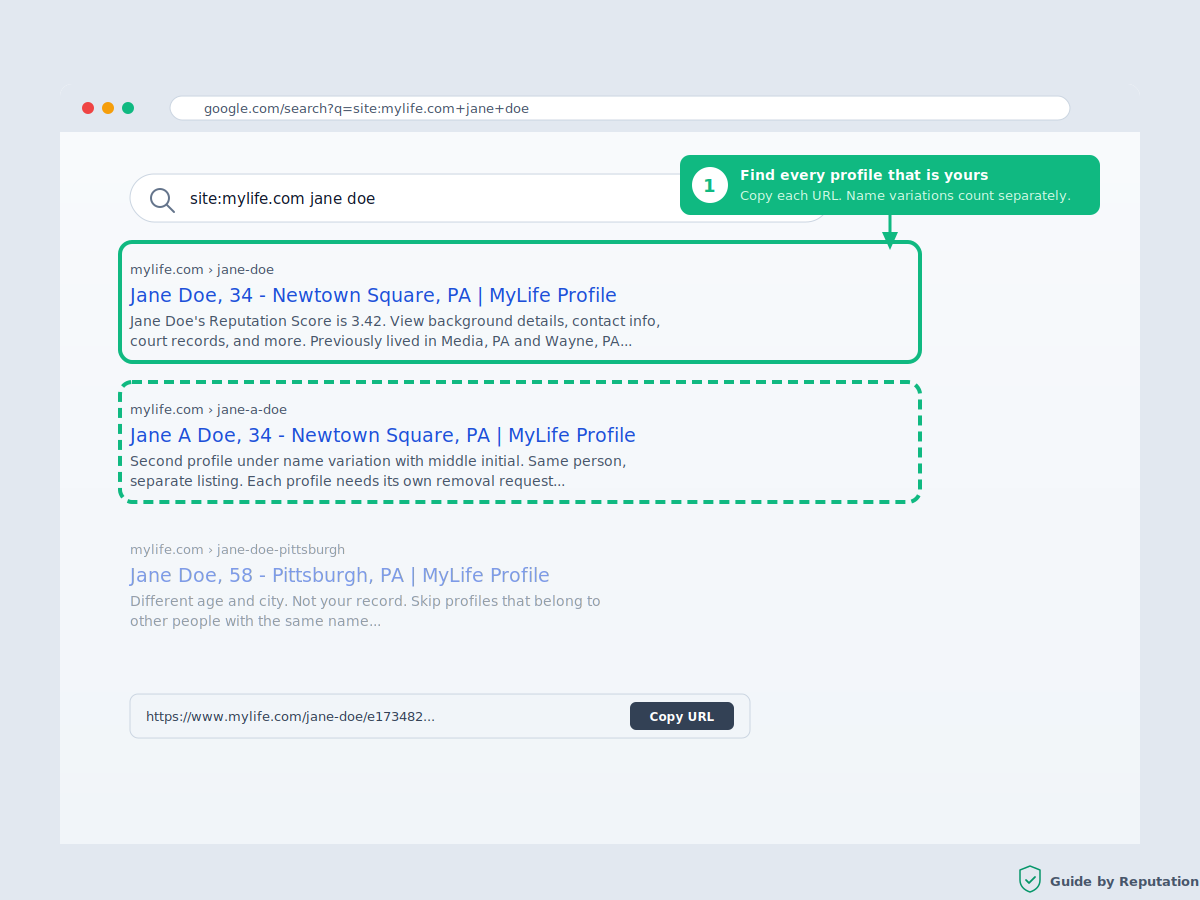
Search your name at MyLife.com or search Google for “site:mylife.com [your name]”. Open each profile that matches you and copy the full URL from the address bar. Common names often have multiple profiles, and each one needs to be named in your removal request.
Tip: Check name variations (middle initial, maiden name, nicknames). MyLife frequently holds separate profiles for each variation.
Email your removal request to privacy@mylife.com
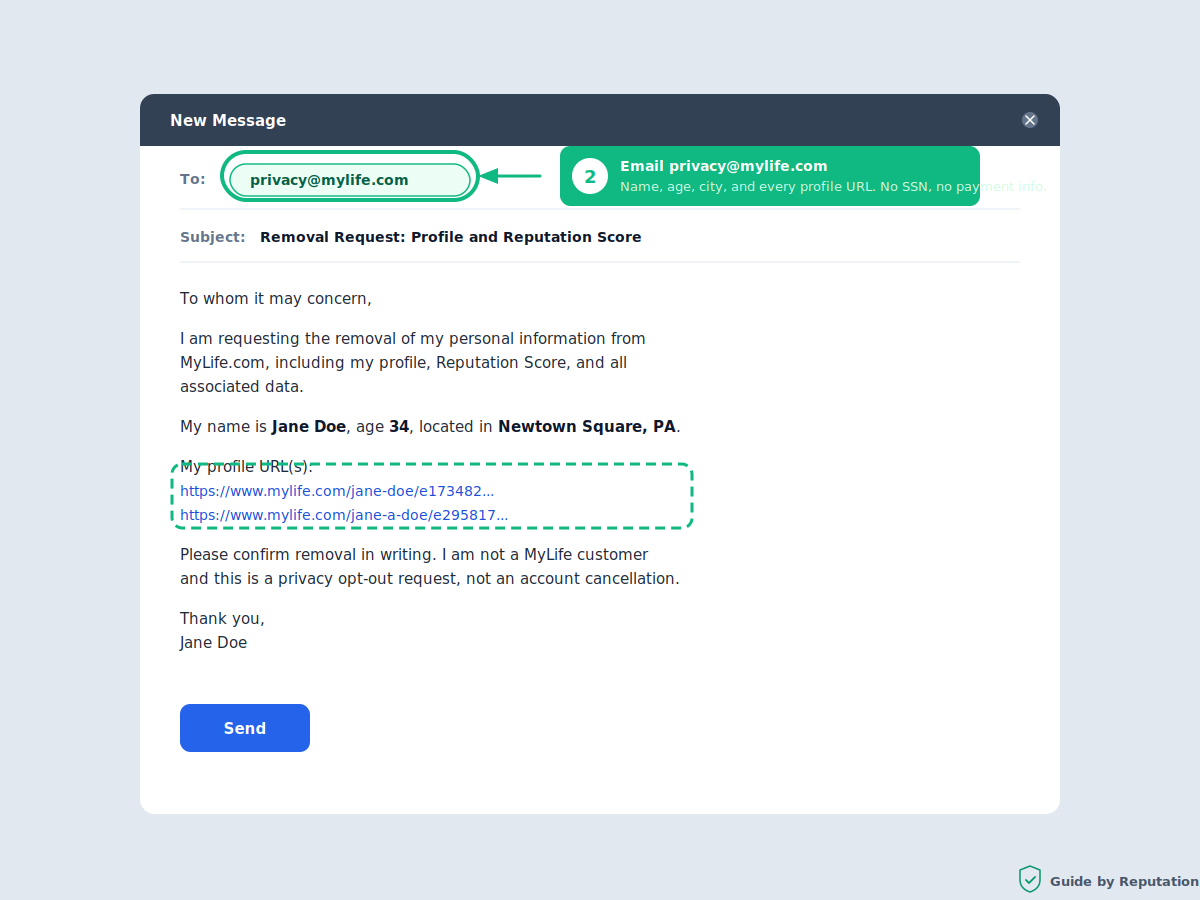
Send an email to privacy@mylife.com requesting removal. Include your full name, age, current city and state, and every profile URL you found. State clearly that you are requesting removal of your profile, your Reputation Score, and all associated personal information from public display.
A short template you can copy:
“I am requesting the removal of my personal information from MyLife.com, including my profile, Reputation Score, and all associated data. My name is [full name], age [age], located in [city, state]. My profile URL(s): [paste URLs]. Please confirm removal in writing. I am not a MyLife customer and this is a privacy opt-out request, not an account cancellation.”
Important: Do not provide payment information, your Social Security number, or a photo ID. None of those are required for a removal request. Name, age, city, and the profile URL are enough for MyLife to locate the record.
Or call customer care at 1-888-704-1900
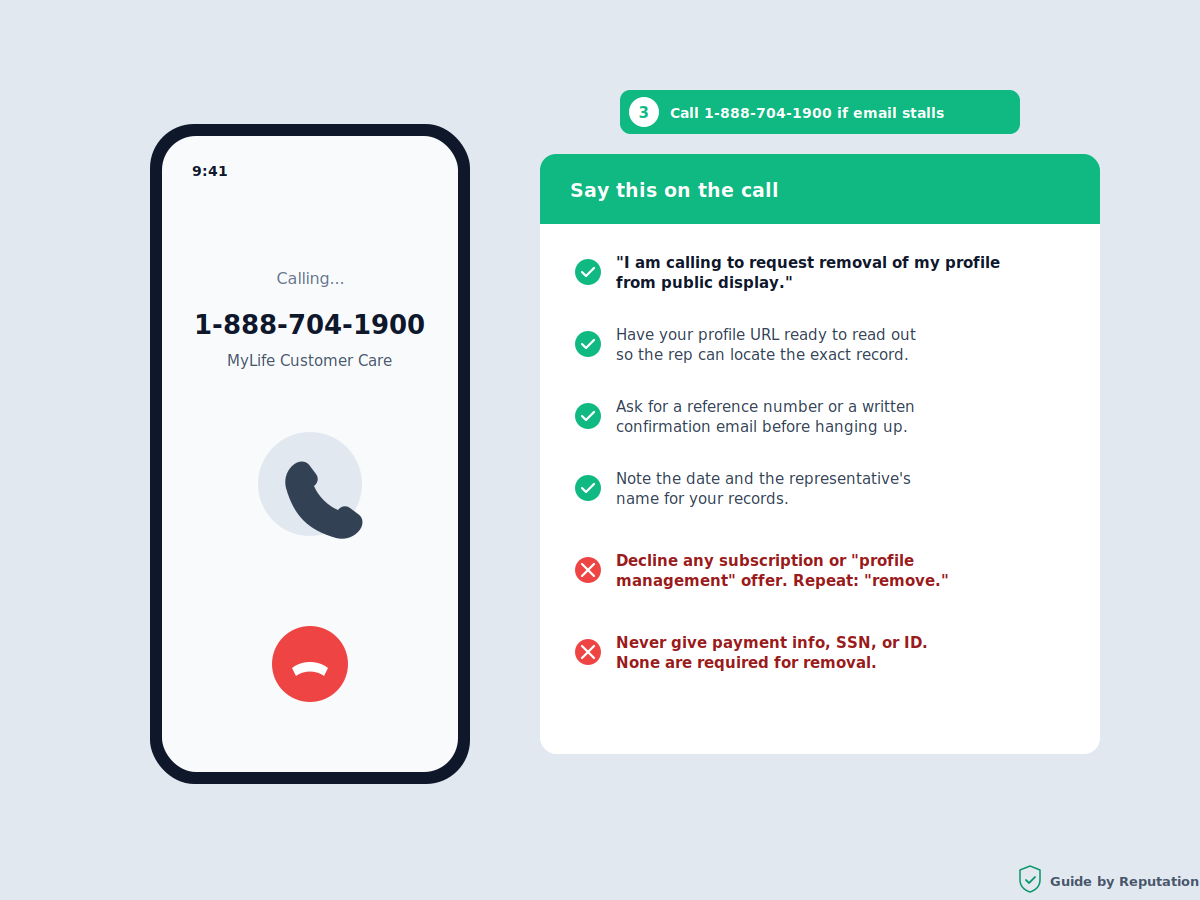
If you prefer phone, or your email gets no response within a week, call MyLife customer care at 1-888-704-1900 during business hours (Pacific time). Say you are calling to request removal of your profile from public display. Have your profile URL ready. Ask the representative to confirm the removal request and give you a reference number or confirmation email.
Important: Representatives may pivot to offering you a subscription so you can “manage” your profile instead of removing it. Decline. You do not need an account or a subscription to have your data removed. Repeat the word “remove” and stay on that request.
Save your confirmation and set a follow-up reminder
Keep the email thread or write down the call date, the representative’s name, and any reference number. MyLife removals typically process within 7 to 10 business days. Set a calendar reminder for two weeks out to verify the profile is gone.
Verify removal and check Google
After 10 business days, search your name on MyLife and run “site:mylife.com [your name]” in Google. The MyLife listing should be gone from their site immediately and fall out of Google results within days to a couple of weeks as Google re-crawls. If the profile is still live, escalate using the steps in the troubleshooting section below.
California residents: you have extra leverage
If you live in California, the CCPA gives you a legal right to demand deletion of your personal information, not just suppression from public view. Mention the CCPA explicitly in your email and MyLife is legally required to respond within 45 days. Residents of other states with privacy laws (Virginia, Colorado, Connecticut, Texas, and a growing list) have similar rights under their own statutes. Naming the law in your request noticeably speeds up compliance.
What happens after you opt out
Once processed, your profile and Reputation Score disappear from MyLife’s public site. The Google result clears when Google re-crawls the dead page, usually within days to a couple of weeks.
Like every people-search site, MyLife rebuilds profiles from fresh public records over time. A move, a new phone number, or a court filing can generate a new profile months later. Re-check quarterly, or use continuous monitoring to catch re-listings automatically. Our guide on personal data monitoring explains how that works.
Troubleshooting common problems
No response to my email after a week
Send a follow-up referencing your original email date, then call 1-888-704-1900. Phone requests tend to move faster once an email trail already exists.
The representative tried to sell me a subscription
This is a known pattern and part of what the FTC case addressed. Decline firmly and restate that you are requesting removal, not account management. You never need to pay to be removed.
My profile is still live after 10 business days
Escalate in writing. Reference your original request date and state that you will file complaints with the FTC (reportfraud.ftc.gov) and your state attorney general if the removal is not completed. Given MyLife’s regulatory history, escalation language tends to work. California residents should cite the CCPA 45-day response requirement.
My profile disappeared but the Google result remains
Google needs to re-crawl the removed page. Use Google’s “Remove Outdated Content” tool to speed it up. For the broader playbook, see our guide on removing your information from the internet.
A new MyLife profile appeared months later
New public records generated a new profile. Repeat the removal request for the new URL. The second pass is faster because you already have the template and contact points.
MyLife is one site. Handle the others next.
If you would rather not chase every site yourself, our service covers 200+ broker sites including MyLife, with continuous monitoring and automatic re-removal. The free privacy scan shows exactly where you are exposed before you commit to anything.
Frequently asked questions
Is the MyLife opt-out free?
Yes. Removal is free by email or phone. You never need a subscription, an account, or payment information to have your profile removed. Anyone telling you otherwise, including a MyLife representative steering you toward a paid plan, is wrong.
What is the MyLife Reputation Score?
A numeric score MyLife assigns to your name, built from public records, court data, and reviews other users leave about you. It displays publicly next to your profile whether it is accurate or not. Removing your profile removes the score from public display.
Did the FTC really sue MyLife?
Yes. The Department of Justice filed suit in 2020 on behalf of the FTC, alleging deceptive background-report teasers, misleading subscription billing, and obstructive cancellation practices. The case settled in 2021 with a $21 million judgment against the company and its CEO, along with requirements to change billing and marketing practices.
Why is there no MyLife removal form like other sites have?
MyLife has historically handled removals through customer care channels rather than a self-service form. The practical result is that email and phone are the reliable paths. Email first for the paper trail, phone if email stalls.
How long does MyLife removal take?
Typically 7 to 10 business days after your request is acknowledged. The Google search result pointing at the old profile clears within days to a couple of weeks after that. California CCPA requests have a legal 45-day response deadline.
What if MyLife ignores my removal request?
Follow up in writing, then escalate: state that you will file complaints with the FTC at reportfraud.ftc.gov and your state attorney general. Given the company’s settlement history, escalation language is effective. California residents should cite the CCPA response deadline explicitly.
Will removing my MyLife profile affect background checks?
No. Legitimate employment and tenant screening uses FCRA-compliant providers that pull from primary sources like courts and DMV records. MyLife is a consumer site, and the FTC case specifically addressed its misrepresentations about background-check compliance. Removing your profile has no effect on real background checks.
Can other people still leave reviews about me after I opt out?
Once your profile is removed from public display, there is no public page for reviews to appear on. If a new profile is generated later from fresh public records, request removal again for the new URL.
Is MyLife legal?
The people-search business model is legal in the US. MyLife’s specific marketing and billing practices were found deceptive enough to draw a federal lawsuit and a $21 million settlement, and the company operates under the resulting compliance requirements. Opting out is your right and costs nothing.
Tired of doing this site by site?
The free privacy scan shows every broker site with a record on you, including MyLife and 200+ others. From there, decide whether to keep going manually or have us handle the rest.
Run Your Free Scan
We remove your personal information from 200+ broker sites, take back the first page of Google, and alert you the moment your data appears on the dark web.